

The MCP Server in MAS 9.2: A New Integration Era for Maximo
IBM's MCP Server in Maximo Application Suite 9.2 redefines how external systems and AI agents connect to Maximo. This deep dive covers the architecture, authentication flows, deployment patterns, and migration path from MIF to the modern API stack.
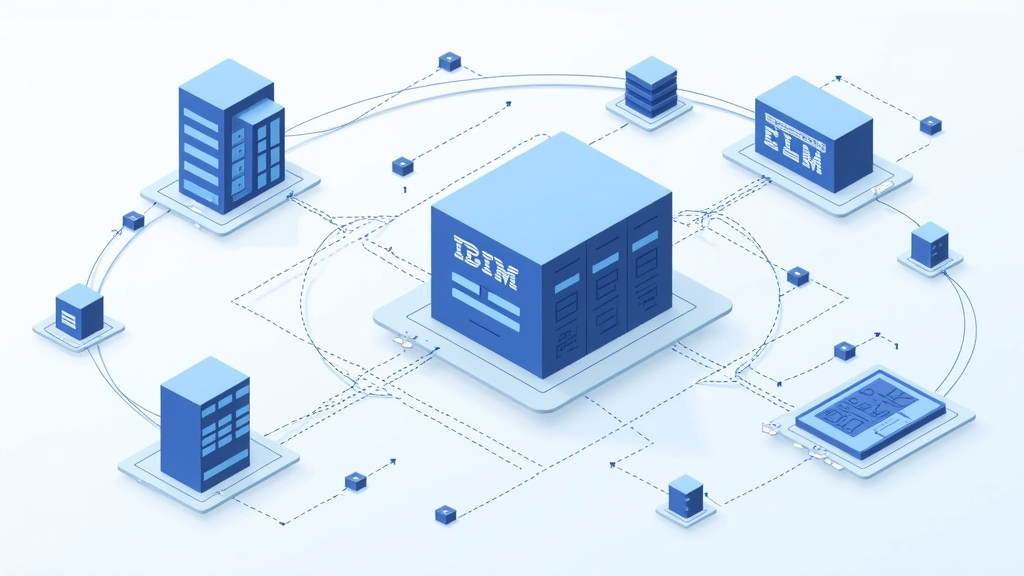
The MCP Server in MAS 9.2: A New Integration Era for MaximoMaximo Application Suite 9.2, released in June 2026, ships with a feature that fundamentally changes how organizations connect external systems to their asset management platform. The Model Context Protocol (MCP) Server is not a minor API enhancement or a new endpoint. It is a standards-based integration layer that lets external AI agents participate directly in Maximo Manage workflows without custom integration code for each connection.
For Maximo administrators and integration architects, this is the most significant architectural shift since the transition from MIF-centric XML integrations to the REST API model in MAS 8.x. The MCP Server does not replace existing REST APIs or OSLC endpoints. It sits alongside them, providing a purpose-built protocol layer for AI-driven interactions that complements the traditional integration stack.
The timing matters. Organizations are no longer asking whether AI belongs in asset management. They are asking how to connect their AI tools to Maximo without building fragile, one-off integrations that break on every upgrade. The MCP Server answers that question with a standardized, governed approach that inherits the same security model as the rest of the platform.
This article examines the MCP Server architecture, how it fits alongside existing integration mechanisms, what authentication and governance patterns it supports, what deployment patterns are available, and what the migration path looks like for organizations currently relying on MIF or raw REST API integrations.
What the MCP Server Actually Does
The MCP Server in MAS 9.2 exposes Maximo Manage APIs through the Model Context Protocol, an open standard originally developed by Anthropic. The protocol defines how AI applications connect to external tools, data sources, and services in a consistent and scalable way. IBM has implemented the server as a native component of Maximo Manage, which means it inherits the platform's security model, authentication framework, and authorization controls.
The architecture has three components. The MCP Host is the application running the AI model, such as Claude Desktop, IBM Bob in VS Code, or a custom agent framework. The MCP Client manages communication between the model and external services. The MCP Server exposes tools, resources, and capabilities through a standardized interface that any MCP-compatible client can connect to.
When an AI agent wants to interact with Maximo, it does not need to know the REST API details. It does not need to understand object structures, endpoint URLs, or payload formats. It interacts through the MCP abstraction layer, requesting business capabilities in a format the LLM can understand. The MCP Server translates those requests into Maximo API calls, retrieves the data, and returns it in a format the agent can process.
Here is a simplified example of how an AI agent interacts with the MCP Server:
# AI agent requests available tools from MCP Server
tools = mcp_client.list_tools()
The key insight is that the AI agent never constructs the REST request. It requests a business capability, and the MCP Server handles the translation. This means organizations can connect multiple AI tools to the same Maximo instance through the same protocol, with no custom integration code for each one. An IBM Granite-powered agent, a Claude-based assistant, and a custom Python agent can all connect to the same Maximo instance through the same protocol layer.
The MCP Server operates through a five-step loop that mirrors how a human technician might approach a task. First, it gathers context from user input and system state. Second, it plans the steps needed to fulfill the user's intent. Third, it evaluates which tool or agent is appropriate for the task. Fourth, it takes action using LLM-generated parameters. Fifth, it observes the result to determine if the intent has been satisfied. If not, the loop repeats with refined context. This is fundamentally different from a simple API proxy, because the MCP Server is designed to support multi-step agentic workflows, not just single request-response cycles.
How MCP Fits Alongside REST and OSLC
The MCP Server does not replace the existing integration stack. Maximo Application Suite supports multiple integration protocols side by side, and the MCP Server is the newest member of that stack. Understanding how these protocols relate is essential for making the right architectural decisions.
The REST API remains the primary integration surface for traditional system-to-system integrations. Every Maximo object, from work orders to assets to purchase orders, is exposed through consistent REST endpoints that follow OpenAPI conventions. The REST API supports JSON and XML formats, batch operations, and the full range of CRUD operations. For an ERP system syncing purchase orders to Maximo, the REST API is still the right choice.
OSLC (Open Services for Lifecycle Collaboration) remains the standard for linked data and cross-system resource linking. OSLC is particularly relevant for integrations with other IBM products and for scenarios where resource relationships need to be expressed in a standardized, queryable format. The OSLC API and the NextGen REST API coexist in MAS, with OSLC serving backward compatibility and OSLC-standard compliance, while the NextGen REST API provides cleaner patterns for new integrations.
MIF (Maximo Integration Framework) remains supported for legacy integrations. Organizations on Maximo 7.6 with existing MIF publish channels, enterprise services, and external system connections should maintain those integrations while planning their migration to REST APIs as part of a MAS upgrade. MIF is not going away immediately, but it represents the legacy path. The recommended strategy is to run MIF and REST concurrently, migrate incrementally, and establish clear policies for new versus existing integrations.
# Traditional REST API call (system-to-system integration)
curl -X GET "https://mas-host/maximo/oslc/os/mxwo/1001" \
  -H "Authorization: Bearer ${ACCESS_TOKEN}" \
  -H "Content-Type: application/json"
The decision matrix is straightforward. For system-to-system integrations where you control both endpoints, use the REST API. For linked data scenarios requiring OSLC standard compliance, use OSLC. For AI agent integrations where an LLM needs to interact with Maximo, use the MCP Server. For legacy integrations on Maximo 7.6 that have not yet been migrated, MIF remains the path. The MCP Server does not eliminate any of these options. It adds a new one.
Authentication and Governance
The MCP Server inherits the MAS security model, which is a critical distinction from building a custom API wrapper. AI agents operating through the MCP Server are not running in an unsecured parallel channel. They operate within the same governance framework as human users, and all actions are auditable through standard Maximo logging.
MAS 9.2 supports two authentication paths for the MCP Server. For the built-in agent path, where Maximo's own AI capabilities interact with Manage through MCP, the UI sends an x-access-token JWT with the tool request. The MCP Server sends that token to Core IDP for authentication, receives the user context, and propagates the user ID to Manage when it calls the tool. Manage then decides whether that user has permission to perform the action.
For external agents, MAS 9.2 supports authentication through Maximo API keys or JWT tokens. The route is automatically exposed through OpenShift, and the agent sends either a Maximo API key or an x-access-token header depending on the authentication pattern. To connect an external agent, the customer needs two things: the externally exposed MCP route and an authentication method.
# Example: External agent authentication via API key
mcp_server_config:
  endpoint: "https://mas-host/mcp/server"
  auth:
    type: "api_key"
    header: "max-api-key"
    value: "${MAXIMO_API_KEY}"
  # Alternatively, JWT-based auth:
  # auth:
  #   type: "jwt"
  #   header: "x-access-token"
  #   value: "${JWT_TOKEN}"
The governance implications are significant. Every action an AI agent takes through the MCP Server is logged with the user context. If an agent creates a work order, the audit trail shows which user's context the action was taken under. If an agent updates an asset record, the change history reflects the authenticated identity. This is not AI operating in the shadows. It is AI operating within the same accountability framework as every other Maximo user.
The MCP Server also polls Manage for tool specification updates using ETags. Manage keeps its own ETag for tool specification changes. The MCP Server keeps an in-memory ETag. When those values differ, the MCP Server refreshes its tool list and pulls the current OpenAPI specifications. By default, this polling happens every 10 minutes, though the interval can be configured. This means when an administrator adds, updates, or removes tool definitions in Manage, those changes propagate to the MCP Server automatically without requiring a restart.
Deployment Patterns and the Tool Catalog
MAS 9.2 offers three deployment patterns for the Maximo AI Service, which includes the MCP Server. Full SaaS uses existing AppPoints with no new infrastructure required. Hybrid AI SaaS also uses SaaS AppPoints but allows the AI Service to run alongside customer-managed components. Full Customer Managed includes a watsonx.ai license for use with the AI Service only. The choice depends on the organization's cloud strategy, data residency requirements, and existing infrastructure investments.
One of the most important architectural decisions in the MCP Server implementation is how it exposes Maximo capabilities to AI agents. Rather than exposing raw API endpoints, the MCP Server exposes business capabilities as tools. Each tool definition includes a description, a schema, and annotations that help the agent decide when and how to call it.
This distinction matters because AI agents do not think in terms of HTTP methods and object structures. They think in terms of business intent. An agent asked to "create a work order for pump 1042" does not need to know that the endpoint is /maximo/oslc/os/mxwo, the method is POST, and the payload requires specific field names. It needs to know that a tool called create_work_order exists, accepts parameters like asset_num and description, and will return a work order number.
{
  "tool_name": "create_work_order",
  "description": "Create a new work order in Maximo Manage",
  "input_schema": {
    "type": "object",
    "properties": {
      "asset_num": {
        "type": "string",
        "description": "The asset identifier to associate with the work order"
      },
      "description": {
        "type": "string",
        "description": "Description of the work to be performed"
      },
      "priority": {
        "type": "string",
        "enum": ["LOW", "MEDIUM", "HIGH", "URGENT"],
        "description": "Priority level of the work order"
      },
      "worktype": {
        "type": "string",
        "description": "Type of work (PM, CM, EM, etc.)"
      }
    },
    "required": ["asset_num", "description"]
  },
  "annotations": {
    "category": "work_management",
    "maximo_object": "WORKORDER",
    "api_method": "POST /maximo/oslc/os/mxwo"
  }
}
Manage keeps track of the tool definitions and their OpenAPI specifications. The MCP Server polls Manage for updates to the tool catalog using the ETag mechanism described earlier. When an administrator adds a new automation script that exposes a custom API, that capability can be added to the tool catalog and made available to AI agents without rebuilding the MCP Server or redeploying the agent. External systems including Slack, Google, and third-party platforms can all participate through this standard protocol. There are over 15,000 community MCP servers in the broader ecosystem, and any of them can potentially connect to a Maximo instance through the same protocol.
It is important to understand what the MCP Server does not do. It does not solve enterprise orchestration across multiple systems. An MCP Server makes it significantly easier for AI to interact with a single application (Maximo), but if an organization needs an agent that orchestrates workflows across Maximo, SAP, and a custom MES system, that orchestration logic lives in the agent layer, not in the MCP Server. The MCP Server is the connector, not the orchestrator.
Migration Path: From MIF to MCP
For organizations currently on Maximo 7.6 with extensive MIF integrations, the path to MCP is not a direct migration. It is a phased journey that passes through the REST API layer first. The recommended approach follows a three-phase strategy.
Phase 1: Document and Audit. Catalog every MIF publish channel, enterprise service, and external system connection. Identify which ones use deprecated protocols or patterns. For each integration, document the business purpose, data flow, frequency, and owner. This inventory becomes the foundation for migration planning.
-- Phase 1: Audit existing MIF integrations
-- List all active publish channels with recent activity
SELECT CHANNELNAME, OBJECTSTRUCTURE, PROCESSEDDATA, EXTSYSTEMNAME,
       CREATEDATE, MAXIFACEERRORS
FROM MAXIMO.MAXIFACEOUTQUEUE
WHERE PROCESSDDATA IS NOT NULL
  AND CREATEDATE > SYSDATE - 30
ORDER BY CREATEDATE DESC;
-- List all active enterprise services with recent activity SELECT IFACENAME, OBJECTSTRUCTURE, EXTSYSTEMNAME, CREATEDATE, MAXIFACEERRORS FROM MAXIMO.MAXIFACEINQUEUE WHERE PROCESSDDATA IS NOT NULL AND CREATEDATE > SYSDATE - 30 ORDER BY CREATEDATE DESC;
-- Count integrations by external system SELECT EXTSYSTEMNAME, COUNT(*) AS INTEGRATION_COUNT FROM MAXIMO.MAXIFACEOUTQUEUE WHERE PROCESSDDATA IS NOT NULL GROUP BY EXTSYSTEMNAME ORDER BY INTEGRATION_COUNT DESC; ```
Phase 2: Migrate to REST API. For organizations upgrading to MAS, new integrations should use the REST API. Existing MIF integrations should be migrated when triggered by external system upgrades, operational issues, or business requirement changes. Set a deprecation target. A timeline like "All MIF integrations migrated by Q4 2027" gives teams a clear deadline without forcing premature migration of stable integrations. The REST API in MAS follows a consistent, predictable pattern where every resource is accessible through a URL structure that mirrors the object hierarchy. The lean=1 query parameter strips OSLC metadata from responses, returning clean JSON recommended for most integration scenarios.
Phase 3: Add MCP for AI use cases. Once the REST API layer is in place, the MCP Server becomes available for AI-driven integration scenarios. This is not a replacement for REST API integrations. It is an additional layer for scenarios where AI agents need to interact with Maximo. The REST API remains the foundation; the MCP Server is the AI-facing abstraction on top of it.
For organizations already on MAS 8.x with REST API integrations in place, the MCP Server in MAS 9.2 is an incremental upgrade. The existing REST API integrations continue to work unchanged. The MCP Server adds a new integration pattern for AI scenarios without requiring any changes to existing integrations. The upgrade path is straightforward: update to MAS 9.2, enable the MCP Server component, configure authentication for external agents, and begin exposing tool definitions through the Manage administration interface.
Practical Implications
For Maximo administrators, the MCP Server in MAS 9.2 changes the integration landscape in three practical ways. First, it eliminates the need to build custom API wrappers for every AI tool that needs to interact with Maximo. Whether the organization is using IBM Granite, Claude, OpenAI, or a custom agent framework, the MCP Server provides a single, standardized connection point. This reduces development effort and eliminates the maintenance burden of keeping custom wrappers in sync with API changes across Maximo upgrades.
Second, it enforces governance over AI interactions with Maximo data. Every agent action is authenticated, authorized, and audited through the same controls as human user actions. Security teams can apply the same access control policies to AI agents that they apply to human users. If a user does not have permission to create work orders in a certain location, an AI agent operating under that user's context cannot create them either.
Third, it creates a clear separation between system-to-system integrations (REST API) and AI agent integrations (MCP Server), which simplifies the integration architecture and makes it easier to reason about security boundaries. The REST API layer handles deterministic, high-volume, system-to-system data flows. The MCP Server layer handles intent-driven, agent-to-system interactions. Different patterns, different tools, different governance models.
For integration architects, the key decision is not whether to adopt the MCP Server, but when. Organizations with active AI initiatives should plan to enable the MCP Server as part of their MAS 9.2 upgrade. Organizations without immediate AI use cases should still understand the architecture, because the integration patterns enabled by MCP will become standard practice within the next two years. The tool catalog mechanism, the ETag-based refresh cycle, and the OAuth-based authentication model are all design patterns that will influence how Maximo integrations are built regardless of whether the specific MCP protocol is used.
Bottom Line
The MCP Server in MAS 9.2 is the most strategically significant integration change in this release. It does not replace REST APIs, OSLC, or MIF. It adds a new layer designed specifically for AI-native interactions, built on an open standard that any agent framework can connect to. For Maximo teams, this means less custom integration code, better governance over AI interactions, and a clearer separation between traditional system integrations and emerging AI-driven workflows.
Organizations upgrading to MAS 9.2 should evaluate the MCP Server as part of their integration strategy, not as an optional add-on. The integration landscape is shifting from API-first to agent-ready, and the MCP Server is the bridge between traditional Maximo integrations and the AI-driven future of asset management. Plan the migration in phases, maintain the existing REST API foundation, and add the MCP layer for scenarios where AI agents need governed access to Maximo workflows.
Author
Kevin Arhagba
Maximo Insider contributor
Was this helpful?
The Maximo Brief
Get weekly Maximo analysis and field notes.
Powered by Ghost. Join The Maximo Brief — one weekly read for Maximo professionals.
Cite this article
Arhagba, K. (2026). The MCP Server in MAS 9.2: A New Integration Era for Maximo. MaximoInsider. https://maximoinsider.com/articles/mcp-server-mas-9-2-integration-era